 ks
ksWhat’s new
Small changes. Better flow.
The latest improvements to finding a look, shaping a grade and moving around Videolooks.
8 October 2026
Four cards, connected views.
Color, Contrast, Vibrance, Light and Hue bring the grading controls together. Choose Primaries, RGB/Luma Curves, Vibrance or Light from the card tabs without losing your adjustments. Primaries provides optional Lift, Gamma, Gain and Offset brightness tracks.
More room for precise adjustments.
Shaped movement areas give the outer points room to adjust strength and direction. Small reset dots restore a point immediately; the card’s reset and hold-to-bypass controls help you compare a whole view. Undo and Redo retain your changes.
Hue from the spectrum or your image.
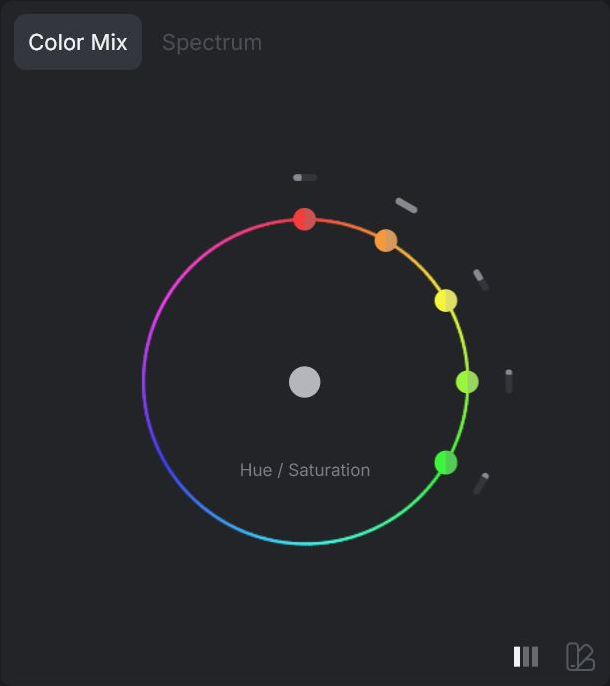
Spectrum provides six color bands. Auto builds a palette from the source image. Edit Shadows and Highlights separately, or sync Highlights to Shadows. A dashed ring identifies Highlights.
Explore looks without losing your selection.
Hover Preview lets you try a LUT before choosing it. Moving between thumbnails keeps the last hover preview, and leaving the gallery restores your selection. Use the list view or Scroll to selected to find your place.
More ways to try the demo.
The landing editor includes Ballet, Morning and Garage images, plus a Video sample. Your imported media appears first, and switching between samples keeps the same look and grading settings. The full editor keeps its separate grade for each item.